On 7DTD Survival Hub Twitch streams, an extension panel appears on screen, letting viewers do more than just watch — you can spectate what’s happening on the server right now, and jump into the game straight from chat. This page walks through how to use it as a viewer.
ℹ️ Most of the features shown here work with just a login (granting the Twitch connection). A few (support actions and unified balance) require linking your Twitch account to your in-game character on the community site’s linking page (7daystodie.jp/link) (there is no linking tab inside the extension itself).
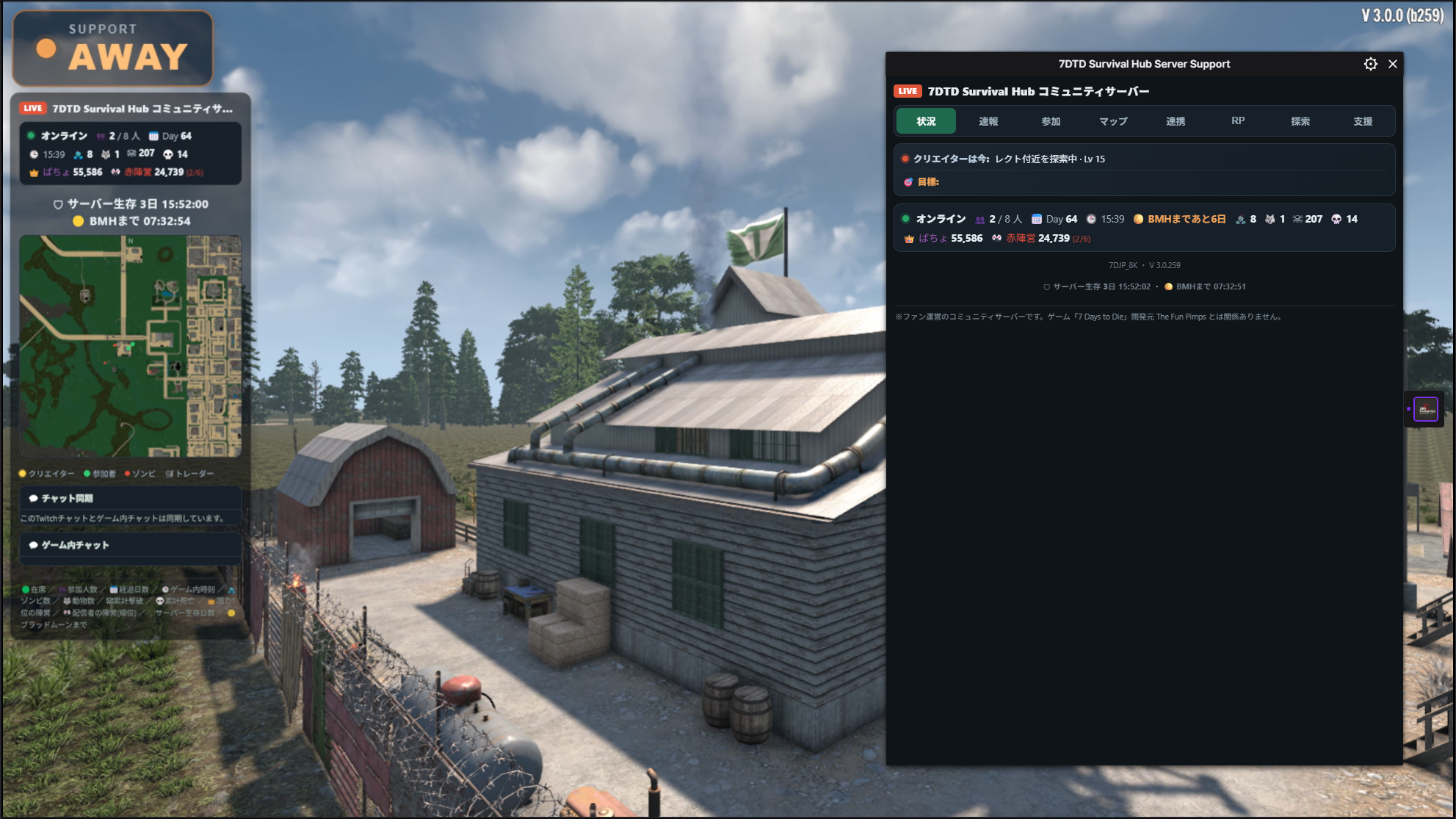
Reading the Tabs
Use the tabs at the top of the panel to switch views.
- Status … The server right now (player count, days survived, in-game time, time until Blood Moon, faction power, and more)
- Feed … A feed of events happening on the server
- Join … How to join the server (copy the connection IP)
- Map … The overall map (positions of players, zombies, and traders)
- RP … Roleplay jobs you take part in via Twitch chat
- Explore … A grid exploration simulator where you can earn coins
- Support … Send “real support” to the streamer using the coins you’ve earned
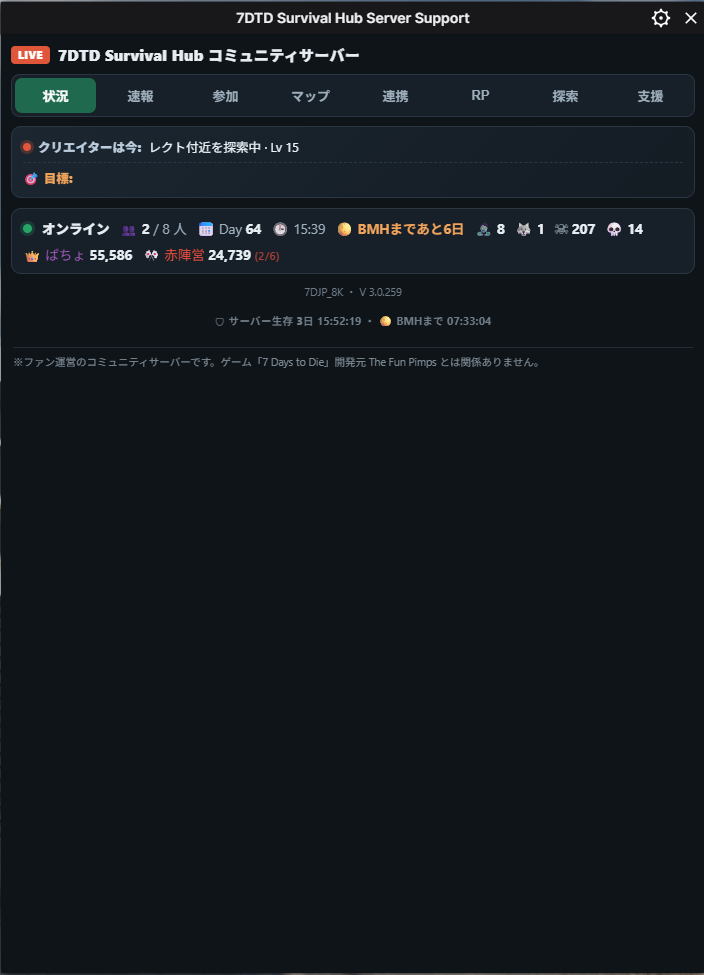
What the Emojis Mean
The emojis in the status bar mean the following (a legend is also shown at the bottom of the panel).
- 👥 Players online / 📅 Days survived / 🕒 In-game time
- 🧟 Zombie count / 🐺 Animal count / ☠ Total kills / 💀 Total deaths
- 👑 Top faction by national power / 🎌 The streamer’s faction (rank)
- 🛡 Server days survived / 🌕 Time until Blood Moon
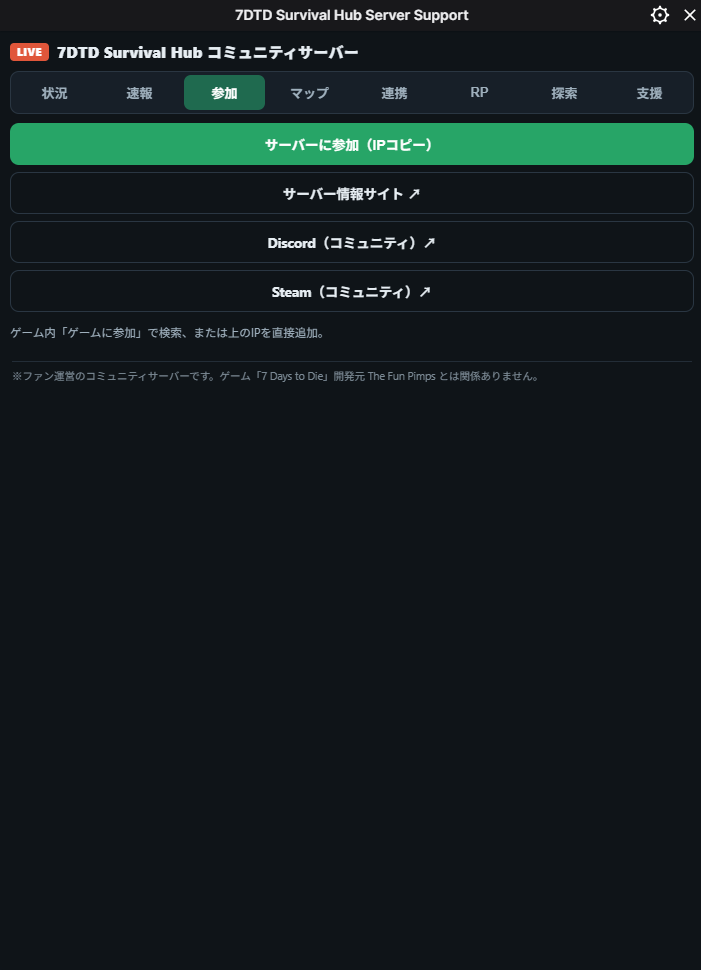
Joining the Server
Copy the connection IP from the “Join” tab, then add the IP directly via “Join a Game” in-game to play together on the same server as the stream (shown only while the streamer is playing).
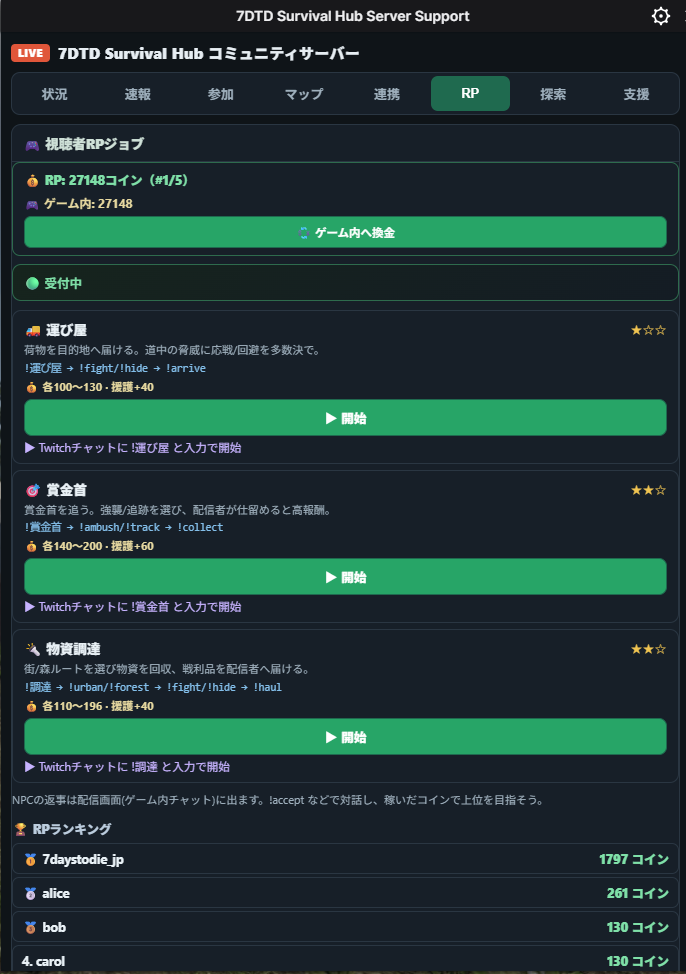
Joining RP Jobs (Twitch Chat)
The “RP” tab is a board of roleplay jobs you join by typing commands in Twitch chat. The NPC’s replies appear on the stream.
- Start … Someone opens recruitment with
!運び屋,!賞金首,!調達, etc. - Join …
!join - Progress … Vote with
!fight/!hide/!ambush/!track/!urban/!forestand the like - Complete …
!arrive/!collect/!haul
Completing a job earns you coins and counts toward the rankings.
Earning Coins in the Exploration Simulator
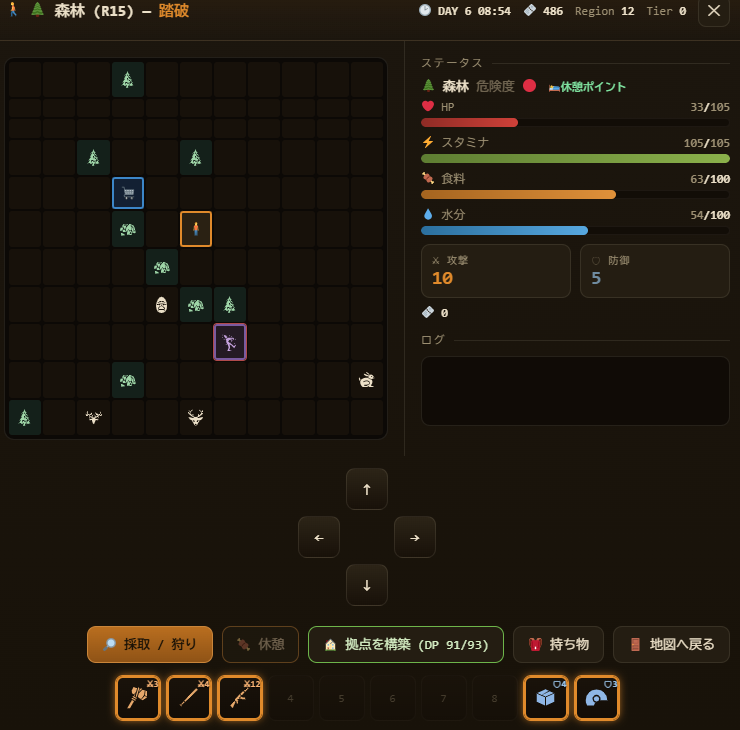
From the “Explore” tab, you can play a grid exploration mini-game. Walk the map to gather resources, hunt, and fight, earning coins as you go.
- Tap a tile to move one step in that direction (tap your own tile to gather / attack).
- The coins you earn can be used directly in the “Support” tab.
Supporting Players (Support Tab)
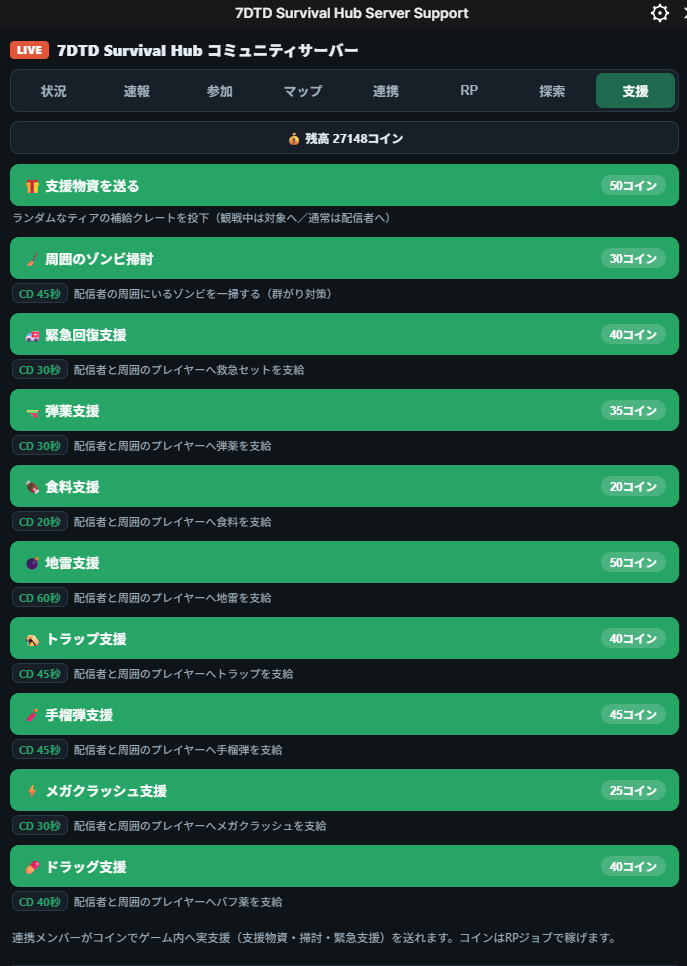
In the “Support” tab, you can send “real support” to the streamer or the server using the coins you’ve earned (e.g., emergency healing, ammo, food, supply crates, and more). Pressing a button applies it in-game.
To use support, you need to have linked (7daystodie.jp/link) on the site, plus the streamer must be present in-game. When you’re not linked, the extension’s “Support” tab shows a link to the linking page.
Linking (Twitch ⇄ In-Game Character)
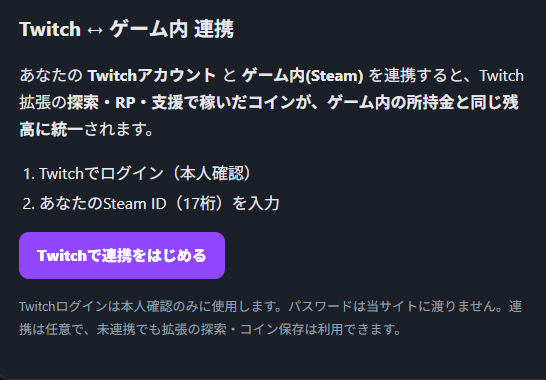
Linking is done not inside the extension but on the community site’s linking page (7daystodie.jp/link). Just log in with Twitch → enter your in-game Steam ID (no site membership registration required).
Once linked, your Explore, RP, and Support coins are unified into a single balance, which becomes the same as your in-game money. After linking, the extension’s RP tab shows your actual balance as “🎮 In-game: ○○ coins,” and a cash-out button lets you move coins into the game.
Works on Mobile, Too
You can spectate and explore the same way from the Twitch mobile app or browser (for Explore, tap the tiles on the board to move).
While watching the stream, we recommend this flow: spectate the Status and Map → !join an RP job → earn coins in Explore → cheer on the streamer with Support. If anything’s unclear, ask in the stream chat or the community Discord.